Pascual Labs · Products · Pascual Companion
Bring your browser tab to life.
Pascual Companion is a premium Chrome extension that embeds an interactive 3D desktop friend directly inside your web pages. Converse via live voice, stream and download SoundCloud tracks locally, and build custom VRM characters in the Avatar Studio.

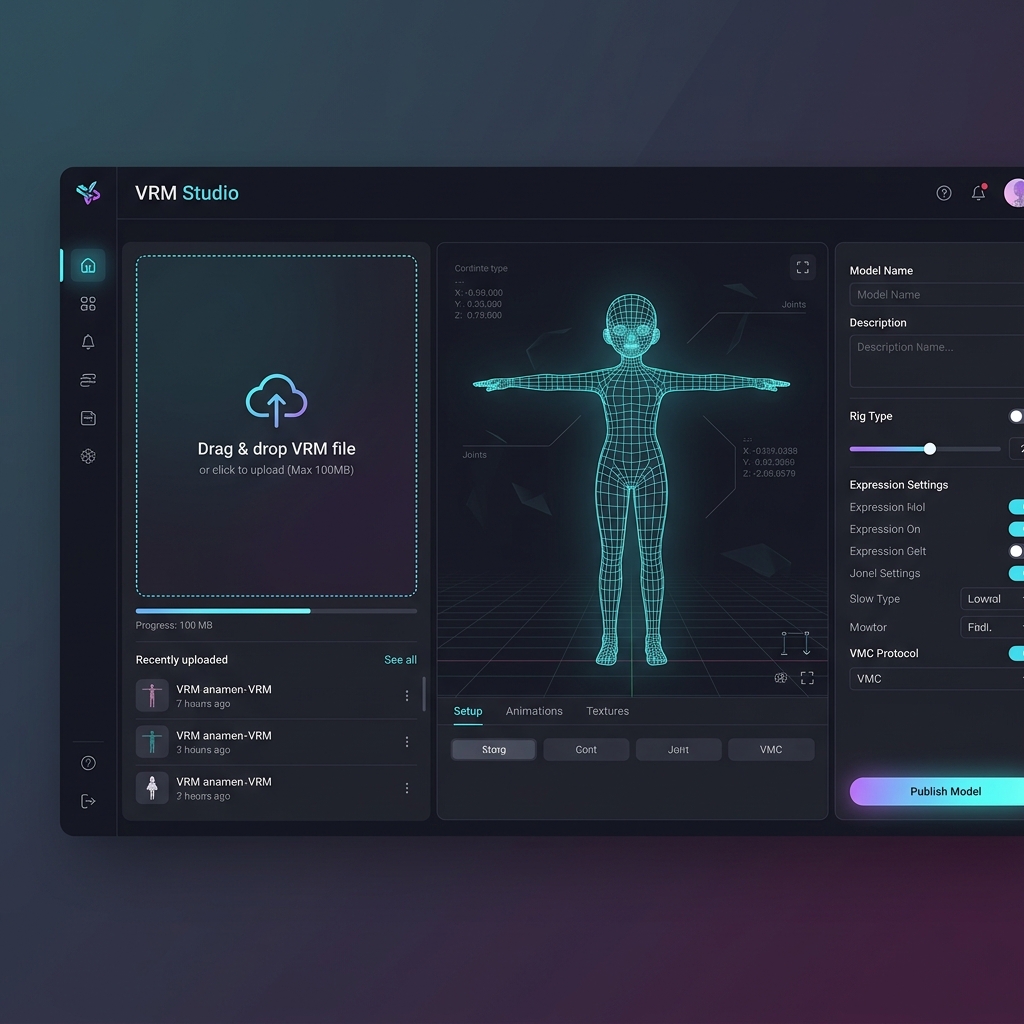
Unleash your avatar. Custom-built and animated.
Say goodbye to static assistants. Pascual Companion features a full-scale local Avatar Studio supporting standard 3D VRM character formats. Make it uniquely yours.
- Standard VRM Import: Drag and drop any 3D VRM avatar model directly into your settings.
- VRMA Animations & Moods: Import custom dance animations, motion clips, and control avatars' emotional responses.
- Aurora & Custom Skins: Choose from 5 custom UI skins (Aurora, Midnight, Ember, Mint, Noir) with customizable theme colors.
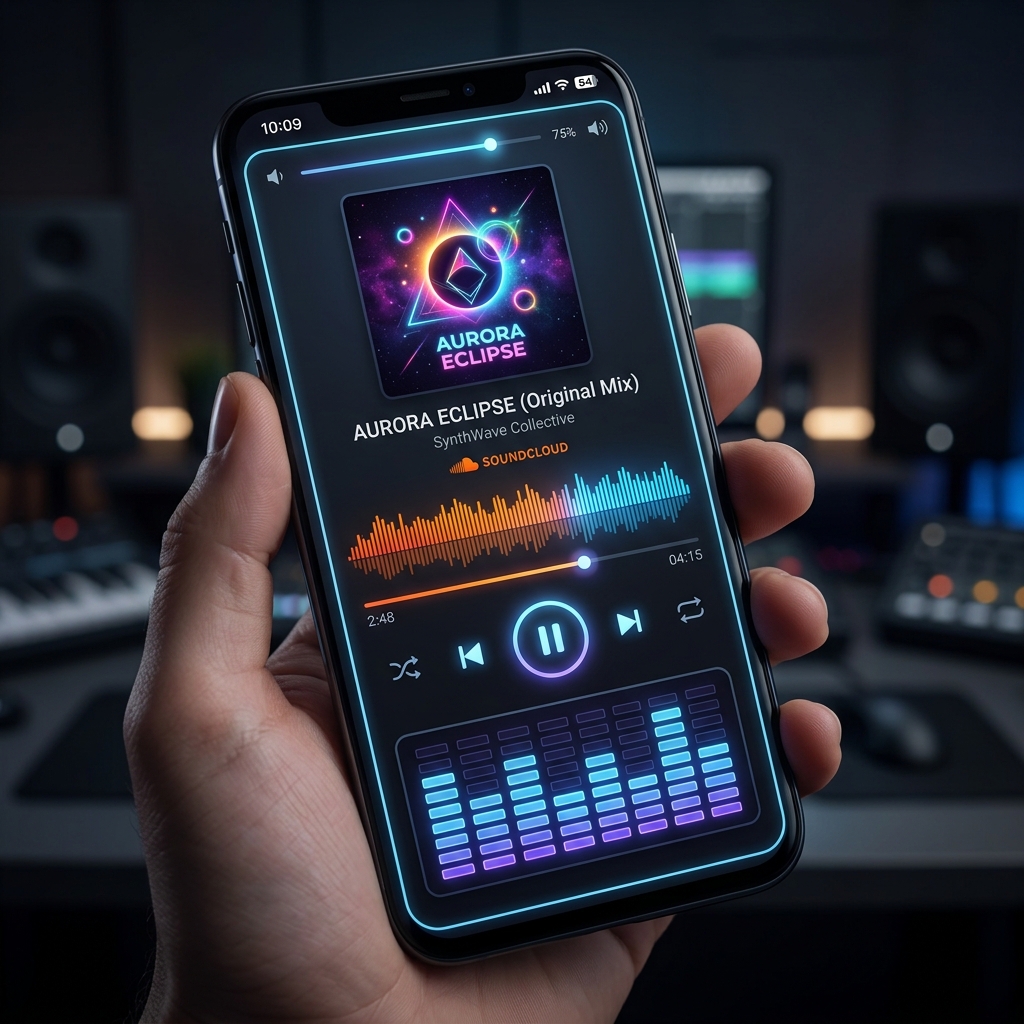
Voice-activated audio streaming & BPM dancing.
Equipped with a smart downloader, your companion connects directly to the SoundCloud stream ecosystem. Request songs naturally, and watch them dance to the beats.
- AI Spelling Correction: Ask for a track via chat — even with spelling mistakes, the LLM finds it.
- IndexedDB Storage: Downloads tracks directly to local storage for quick access.
- Vocaloid AI Voice Covers: Isolate YouTube vocals via Demucs and convert them to Hatsune Miku covers using RVC model.
Piper Offline Voice & Long-Term Memory.
Pascual Companion is built for natural, human-like interaction with state-of-the-art offline capabilities.
- Piper Local (WASM): Speak completely offline using client-side high-quality voice synthesis.
- Real-Time Lip-Sync: Mouth movements synchronize naturally with ElevenLabs, OpenAI, and Web Speech audio.
- Hands-Free Chatting: Enable continuous voice mode to talk naturally without clicking buttons.
- Facts & Context Memory: Automatically compresses chat history to recall your name, style, and interests.
A complete Web Studio on your desktop.
Manage your AI assistants in a full-screen local dashboard. Configure voice engines, customize hair and eye colors, set custom system prompts, and test model responses in real-time.
- Live 3D Renderer: Preview avatar movements, look-at targets, and facial expressions instantly in the studio.
- Voice Tuning & Test: Test Web Speech, OpenAI, ElevenLabs, or local Piper voices side-by-side to find the perfect speech rate and pitch.
- Local Databases: Inspect downloaded audio tracks and offline voice models cached in your browser.
Get started in 30 seconds
Install Extension
Download from the Chrome Web Store. The extension initiates instantly with zero configuration requirements.
Configure Avatar
Load built-in assets or import VRM character models directly into the settings window.
Converse & Stream
Talk using local TTS synthesis, search SoundCloud playlists, and enjoy interactive animations.
Pascual Companion Specifications
Every capability engineered directly inside your client-side extension window.
PiP & Overlay Mode
Floating window that stays on top of everything (code, movies, docs) using Chrome's Document Picture-in-Picture API, alongside dynamic in-tab overlays.
3D VRM & Animations
Load custom .vrm character files and .vrma animation timelines. Enjoy 11 pre-loaded gestures and body states with look-at controls.
4 Speech Engines
Web Speech (offline), OpenAI premium, ElevenLabs (cloned voices), and Piper Local (100% offline WASM voice model inference).
Hands-Free & PTT
Supports Push-to-Talk and dynamic Hands-Free mode using local voice activity detection (VAD). Automatic diagnostics block guide.
Screen Context Tracking
Sees screen active tab context to comment alongside videos, debug source files on GitHub, or summarize web articles.
Long-Term Memory
Automatically compiles and stores dialog summaries and specific personal context, recalling your preferences in new chats.
SoundCloud & Beat-Sync
Integrated stream search and downloader with local IndexedDB cache storage. Avatar beats matching (BPM) tempo dancing.
Vocaloid AI Covers
Demucs vocal split isolation paired with RVC models for generating and playlist-mixing custom Hatsune Miku song covers.
VRM Studio Dashboard
Complete dashboard control panel (studio.html) to tweak system prompts, calibrate delay settings, and manage local cached models.
Privacy First
All API keys and chat context remain inside chrome.storage local storage. No trackers, telemetry, or third-party sharing.
Questions, answered
Which 3D formats are supported?
Pascual Companion supports standard .vrm character files (both version 0.x and 1.0) and .vrma animation clip files, letting you use popular community assets.
How does the SoundCloud downloader work?
When you ask the chatbot to play a song, the AI parses your request, guesses the target track name and correct BPM tempo, searches SoundCloud, and downloads progressive MP3 streams directly into your browser's local IndexedDB database.
Are my conversations private?
Yes. All chat history, IndexedDB databases, and models are stored client-side in your Chrome profile directory. Requests go directly to your configured AI providers, and nothing is shared with Pascual Labs.
Ready to bring your browser to life?
Install Pascual Companion and customize your first desktop assistant today.
Add to Chrome — FreeThe best browser music player with a 3D avatar in 2026
Looking for a browser music player with a 3D avatar and lip-sync? See how an in-tab player that streams music and makes a VRM character dance to the beat compares.
How to add a 3D companion to your browser
Step-by-step guide to installing a 3D companion in Chrome. Learn how to add an avatar to your browser, import a VRM model, and set up voice in minutes.
What is a VRM desktop companion?
What is a VRM companion? Learn how a 3D desktop assistant and anime companion for your browser works — VTuber avatars, VRM models and live voice, explained.